Showing posts with label debug. Show all posts

Wednesday, August 18, 2010

Problem connecting Android to ADB (Android Debug Bridge)

I use the free version of EasySMS a lot - simply because it feels good to write an SMS on the nice browser interface. This way I do not have to take my eyes of the computer screen.

Both the ADB and the EasySMS files was on my Xperia - and with a desktop shortcut in Windows and the Android USB driver installed, my expectation was that I did not need to install the full Android SDK on every PC I get in contact with.

With the USB driver installed, the EasySMS installation on my phone worked fine - for a while. I tested the setup on 3 computers and I thought it was a success.

Then suddenly my script would not open the webinterface - with a sad message that the webpage could not be found. It did not take long to figure out that the problem was the ADB - it could not locate the phone connected.

To make a long storry short:
  • Make sure AdbWinApi.dll is available for adb.exe
  • Make sure AdbWinUsbApi.dll is available for adb.exe
  • Make sure adb.exe is restarted
  • Make sure the phone has the USB Debug connection activated
Somehow the DLL's AdbWinApi.dll and AdbWinUsbApi.dll had disapeared from the directory on the phone where I had adb.exe. After putting the DLL's back, the adb.exe would happily recognize the Xperia attached to the USB port.
Another issue is that the adb deamon running in windows sometimes seems to get "stuck" on a previous connection and won't accept a reconnect. In this case the ADB need a restart. (I read somewhere that the Linux version also have this problem - and on top it needs to have the SUDO command added in front of the adb command to make sure it is performed with root rights):
  • adb kill-server
  • adb start-server
ADB should then return the messages
* daemon not running. starting it now *
* daemon started successfully *

After this, a call to adb devices should show the connected android device, like:
List of devices attached
CB511H16LQ       device

Monday, May 10, 2010

Trouble with the Wndows XP driver for Android?

For normal file transfer to and from my Xperia X10, Windows XP does not need any specific drivers - just:
1) Connect the X10 to the USB port
2) Go into the phone, open the top menu and find the 'USB Connected' and select it.

3) Chose 'Mount' in the textbox that appears on the phone

4) et voilĂ  - the contents of the SD memory card on the X10 is visible as a drive in Windows XP.


For those people who need more - like access to the file system on the X10 it self or need the ability to grab screenshots from the X10 or do some development work for Android, a driver is needed...

When in Windows...

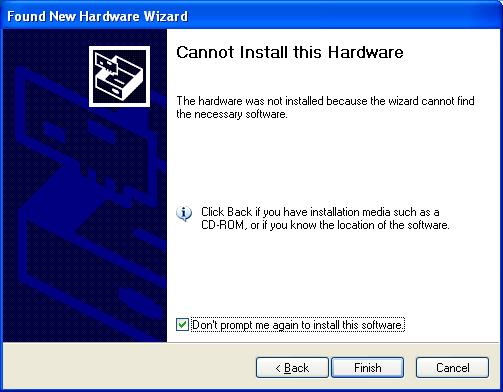
On my laptop the revision 3 USB driver for android (located in the Android SDK package .\android-sdk-windows\usb_driver) works fine, but on my 'real' developer PC, I got the sad message that the driver package did not contain anything usefull for my Xperia X10...

Why...? Ooooh.... Whyyyy....?

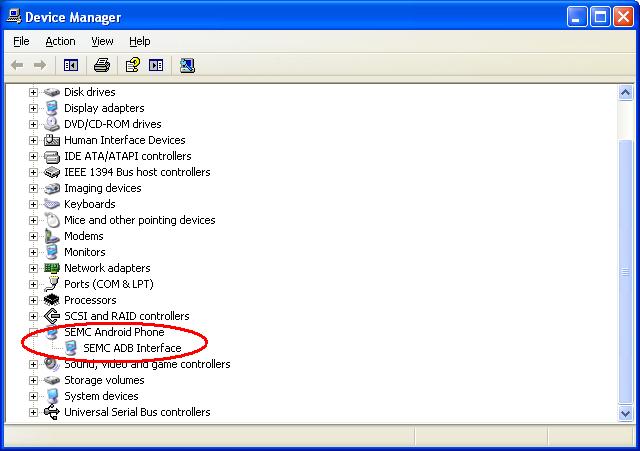
Based on the information found here (thank you mlohbihler) and here (thank you Jonas Petersson), it was posible to work around the problem.
1) Activate the 'USB Debugging' option on the phone (found under settings -> Applications -> Development -> USB debugging)
2) Connect the X10 to Windows (Yes, using the USB cable...)
3) Use the installation files found here or here.
4) Tadaaah.... (At least it worked for me)